FC 27 Gallery
route planner
Choose your next Set upgrades. Spend fewer coins or make fewer trades on the way to your Gallery target.
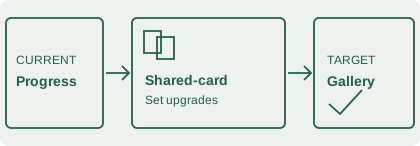
1. Set your target
Use a reported level reference or your own planning target. Token targets use total earned tokens; if you have spent tokens, include those in both totals.
Optional route limits
Your own spending and effort limits. Leave a box blank for no cap; 0 allows no net loss, actions or upgrades for that box.
Net loss is the estimated purchase cost minus sale proceeds after tax. It is separate from the trading coins needed upfront.
2. Add cards once
0 / 128Use the same card entry across Sets. Mark a card collected if it is already available in your Gallery, even after selling it.
Add a card and its expected buy / sell prices.
No live market feed. Enter the prices you expect to trade at. Mark an uncollected card unavailable to exclude routes that need it.
3. Enter Set upgrades
0 / 16Enter each Set’s current score and proposed score, plus total tokens earned at each grade. Only the improvement is added to your Gallery estimate.
Starting the new Gallery Sets? Check the Season 2 additions and what happens to saved Gallery Tokens before planning purchases.
Plan from the cards you have already collected
A new Set can use eligible items already recorded in your Gallery, including ones you have sold. Check your collection history before buying for new Sets.
Gallery Sets keep your player items available to use. A card can count in more than one Set, so buying the same item again for a second Set can waste both coins and trading time. This planner shares each card entry across your upgrade options and counts its buy / sell cost once.
Coin cost and trading capital answer different questions
A card bought for 10,000 coins and sold for 10,000 with a 5% resale-tax estimate costs 500 coins overall. You still need 10,000 coins to buy it. The planner shows both net cost and the capital needed for a sequential trading route.
Choose the cost and effort you want to allow
Optional route limits let you cap estimated net coin loss, buy / sell actions or Set upgrades. Read the route limit comparison to separate these from your available trading coins.
Plan around the cards you can use
Before comparing purchases, check standard and Holographic card versions. The same player can have different Gallery Item Scores.
Mark an uncollected card unavailable when you cannot buy it; routes using that card are excluded while already collected items still count. Planning a higher milestone? Follow the reported Level 15 target and points-gap calculator.
Unexpected grade markers or a stuck menu? Compare the documented Gallery display and navigation issues before changing your plan. If a reward pop-up is missing or shows the wrong number, check the reward and notification separately.
Follow your route in-game
Each calculated route includes a Set checklist. Tick upgrades after grading them in-game, then confirm your actual totals before starting another plan. Checks stay in this tab and reset when you edit the plan. Read the route follow-through steps for shared cards and progress updates.
Saving for a past-and-present squad? Check the plans for future Hall of FUT rewards before building a route around a rumoured player.
Choose a points target
Use the reported level point references or enter your own planning target. Unconfirmed levels have no preset. For tokens, enter total earned tokens and a total-earned target. The token balance helper adds back past spending for you. Use the token reserve calculator to compare buying a reward with keeping tokens for later. Store rewards and requirements can change, so check the offer in your game before building a route around it.
Read the calculation assumptions before choosing a route, or learn about this independent tool.