
How FC 27 Gallery works
Understand FC 27 Gallery sets, keep your players, and plan useful upgrades without confusing points, grades and tokens.
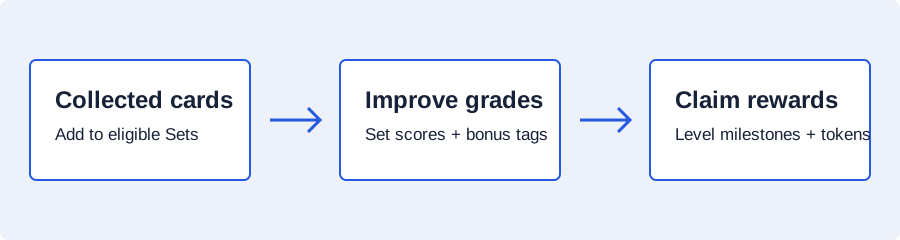
Gallery turns your eligible player collection into sets. Fill a set, improve its score and claim the rewards for its grade. Your overall Gallery level and your spendable Gallery tokens are separate progress tracks.
Start with the collection you already have
- Open a set and read its item requirements. Check every required slot before buying anything.
- Fill it with eligible items from your collection. Look for useful tag combinations as well as high individual Item Scores.
- Review the completed set's score and grade, then claim its available grade rewards.
- Compare another set or a better version of this set before spending coins on missing items.
A Gallery set does not consume the player items you put into it. The same eligible item can appear in more than one set, so one purchase can support several planned upgrades. Eligible items you have sold can still count in your collection history.
Check the version, not just the player's name
Different versions of a player are different Gallery items. Loan items do not count. An Evolution uses its original item version for Gallery; upgrading it does not create another Gallery version or increase its Gallery score through the Evolution upgrades.
Item Score depends on more than overall rating. Rarity and holographic status can affect it too. When planning with special items, copy the Item Score shown in your game instead of substituting a score from a normal card with the same rating.
Tags can change which collection is strongest
Tags reward specific groups inside a set. For example, a First Owner bonus applies to the Item Score subtotal of qualifying First Owner items. It does not multiply every item in the set. A large bonus percentage on a small subtotal can be worth less than a smaller percentage on valuable items.
Use the Gallery score checker to compare the base score and the bonuses you have identified. The First Owner worked examples show how the matching subtotal and item count change the result.
Plan an improvement rather than buying a whole new set
A set you have already graded
Suppose your current overall score is 2,700,000. One set already contributes 100,000 to the progress you are using. Your proposed upgrade raises that set to 250,000. Its estimated new contribution is 150,000, not another 250,000.
If a second planned set contributes another 150,000, the two upgrades project a total of 3,000,000 from that starting point. This is a worked planning target; copy your actual next-level target from the game.
Enter your starting totals and proposed upgrades in the Gallery route planner. Reuse the same card ID when two upgrades need the exact same version. The planner then counts that purchase once when comparing your entered routes.
Coins at risk and coins needed are different
A buy-and-resell route needs enough coins to buy its most demanding next item. Its eventual coin loss depends on resale prices and market tax. A low estimated loss does not make a route affordable when you cannot fund the first purchase.
Enter purchase and expected resale prices yourself. Treat a resale as a successful sale at that price, not a guaranteed immediate return. If you keep several purchases at once, you need more working capital than a route that sells each item before buying the next.
What should you aim for next?
Choose your target before comparing routes: another overall level, another set grade, or enough tokens for a specific reward. The planner's token totals are cumulative tokens earned. If you have spent tokens, add the amount spent to both your current balance and your desired balance. For each set, enter current and planned cumulative grade rewards; the planner calculates the extra tokens.
The level and reward guide gives a token-entry example and lists the published milestone rewards.
For collection eligibility and grade-claim rules, read EA's Gallery help.